Chores done. Allowance earned. No arguments.
Kids check off their chores each day. You verify with a tap. On payday the allowance follows what was actually done, and lands in their own account in the built-in Kids Bank.
Free to useWorks on phones and iPadsNo bank account to link
How it works
Three steps, then it runs itself
Set it up once. After that it is a tap a day for the kids and a tap or two for you.
Set the chores
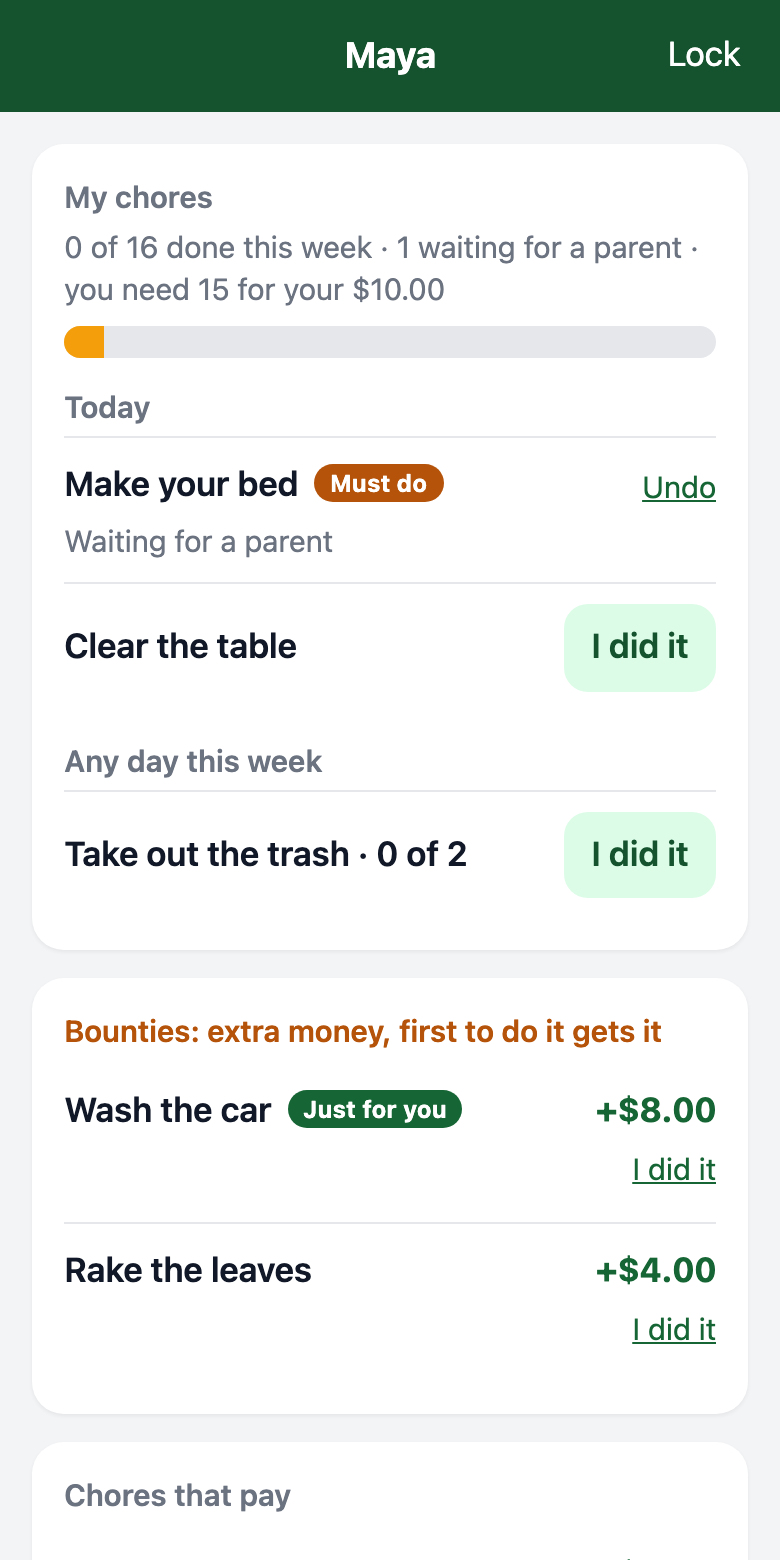
Make your bed every day. Dishes on Tuesday and Thursday. Trash twice a week. Pick the days, pick the kid or have them take turns, and mark the ones that are not optional.
Kids check off, you verify
They tap “I did it”. You get a notification and say yes, or send it back with a note. Ask for a photo of the finished job if you like.
The allowance follows
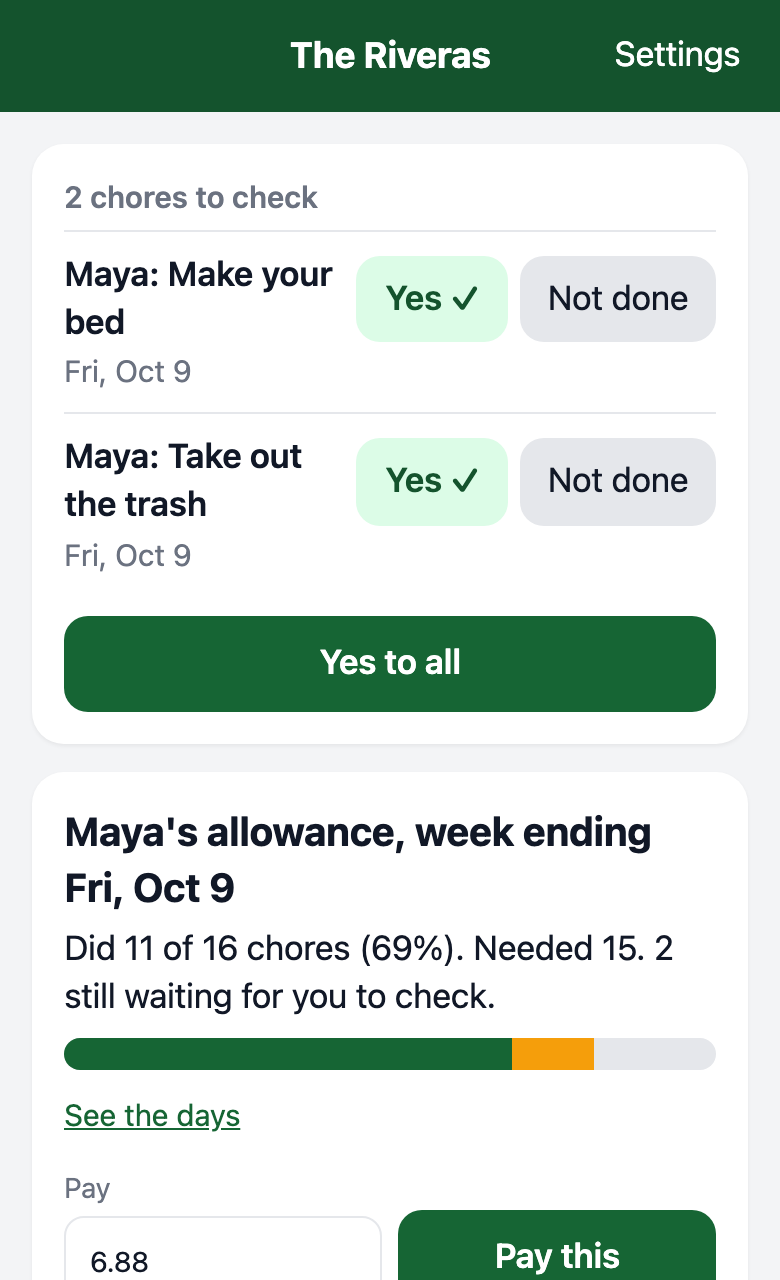
Set how much of the week has to be done. If they hit it, the allowance lands by itself. If not, it waits for you: all of it, part of it, or none.
Chores and allowance
“Did you make your bed?” “…Yes?”
Now there's a record. Every chore has its own box for every day it's due, so nobody has to remember who did what.
Day by day
Daily chores, set weekdays, or a number of times a week. A missed day can still be checked off late.
A minimum, your way
“Do 90% of your chores”, or “these ones, always”. Miss a must-do and the allowance waits for you.
Bounties
“Someone clean this up for $1.” Post it for the whole family, or as a chance for one kid to earn extra.
Photo proof
For the chores where “done” is a matter of opinion. They snap it, you see it.
Taking turns
Dishes can rotate between the kids, each day or each week. The app knows whose turn it is.
Streaks and reminders
A streak to keep alive, and a nudge at the hour you pick when chores are still left.
Kids Bank, built in
“But I still have $30!” No, you spent it on Robux.
You hold your kids' money, like most parents do. Kids Bank is the record: what came in, what went out, and what's left. Everyone sees the same number.
Every dollar written down
Allowance, chore money, birthday money, gift cards. Entries can't be edited or deleted, only corrected in the open.
Requests come to you
Kids ask to buy something or to get cash. You approve at the real cost, or decline with a reason.
Goals with their own pot
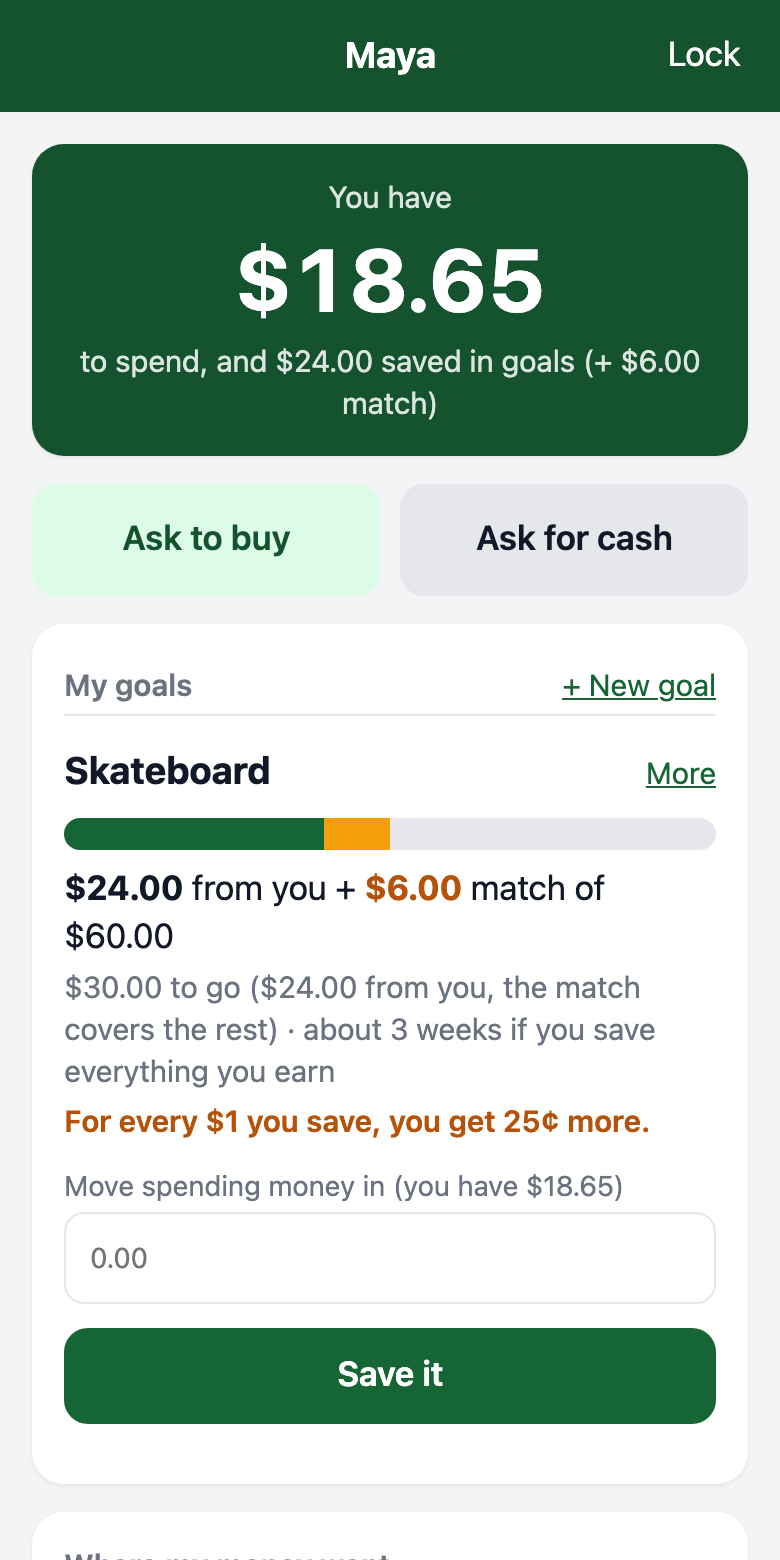
Money saved for the skateboard is set apart from spending money, with weeks-to-go on every goal.
A match you control
Add to a goal you like as they save. If they pull savings back out, the same share of your match goes too.
Teaches the lesson for you
They see what a purchase really costs
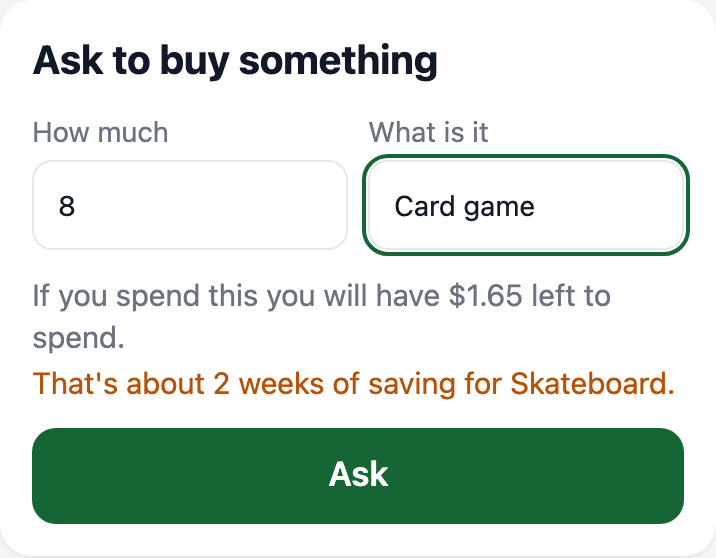
Before a kid asks to buy something, the app shows what they'd have left and how many weeks of saving it sets their goal back.
“If you spend this $20 you will only have $5 left” teaches more than a lecture does.
Built for real families
Simple where it counts
📱
Their own view
Kids sign in on a phone or iPad with a PIN. They can look, check off and ask. Only a parent can change a balance.
👨👩👧
Both parents
Share one family account. Either of you can verify chores and approve requests.
🔒
Yours alone
Each family's data is separate. Other families can't see yours.
🏦
Not a real bank
No cards, nothing to link. Real money stays with you; the app keeps the count.
Questions
Good to know
Is this a real bank account?
No. Family Chore Buddy is a record. You keep the actual money, wherever you keep it today. The app tracks what each kid has, earns, spends and saves so there's never a question about the number.
What do the kids need?
A phone, tablet or computer with a browser. You link their device once with a short code, then they sign in with a PIN they choose. On an iPad or iPhone you can add it to the Home Screen so it opens like an app.
What if my kid doesn't have a device?
You can do everything from your own phone: check chores off for them, add money, record what they spent.
How does the allowance decide whether to pay?
You choose per kid. It can pay every week no matter what, or only when a share of the week's chores is done. If the week falls short, or a must-do chore was missed, nothing is paid until you decide: the full amount, part of it, or none.
Can chores pay money on their own?
Yes. Paid chores are worth a set amount every time, and bounties are one-off jobs for extra money. Both are on top of the allowance.
What if I forget my password?
You get a recovery code when you sign up that lets you set a new one. Another parent in your family can also reset it for you.
Set it up in a couple of minutes
Create your family, add your kids, list their chores, type in what they have today.
Set up your familyFree to use. No card needed.